

In this technological world, there are so many apps available. It can be difficult to know which ones we’ll actually use and which will just take up space on your phone and prevent you from filling up that storage with fabulous photos.
Here are the Travel Apps, and more importantly, the types of travel apps that we recommend for your adventure. And, that you’ll actually use while traveling.
Apps to Use for Money Matters
It’s important to keep track of your budget and spending on your trip. To understand how you’re spending, how much you’re spending. Especially if you’re traveling in a group, it’s essential to keep track of expenses in an app that helps you split everything evenly. Regardless of the apps you use, we recommend a Currency Converter and a budget app.
Currency Converter Plus – This app finds the current exchange rate for almost every currency worldwide. Simply choose your starting currency, let the app calculate the conversion automatically. You can also calculate tips, discounts, and purchases directly in the app.
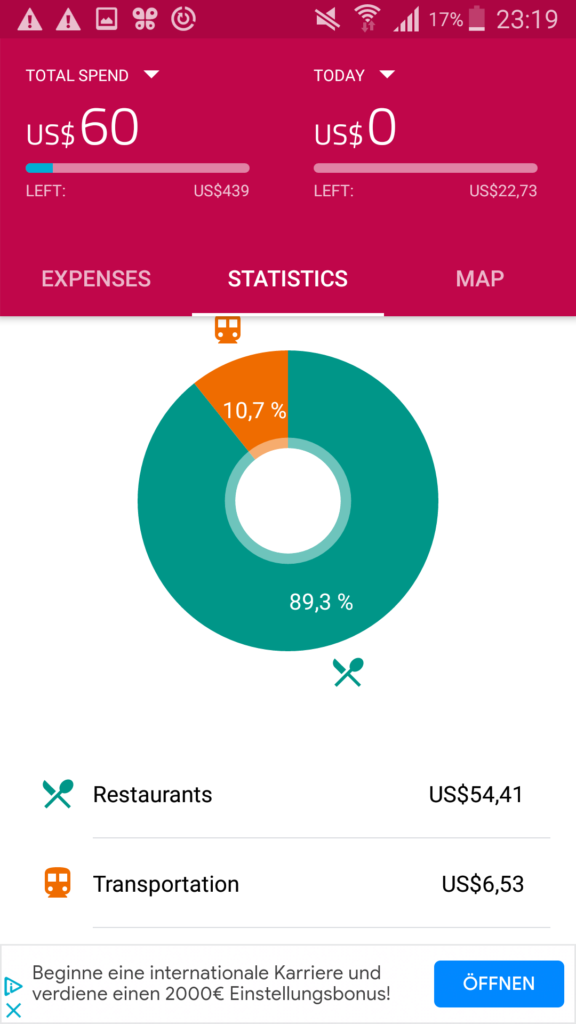
TravelSpend – If you have a specific budget, or just love keeping track of expenses this is a great lightweight app. It is easy to use with a simple, intuitive design. Plus, it was created specfically for travel and not just general banking.
TravelSpend lets you input every purchase, spread expenses across multiple days, and even split costs between a few travelers. It allows you to track your overall budget and your daily budget, with automatic currency conversion. So, it automatically converts foreign currencies into your home currency so you understand what you’re actually spending.
Use the statistics page to visualize which category you’re spending the most money on. It also works offline, so need to worry about using up data!
[Photo Credit: Liz via Shared Adventures]
Splitwise – This is a vital app to use when you’re traveling in a group. Splitwise helps keep track of shared expenses and split bills when traveling in a group. Instead of asking every waiter to split the bill 7-10 ways, you can take turns paying and use Splitwise to ensure everyone is paying their part. You can record the payments in local currencies and use “Simplify debts” to minimize transactions. At the end of the trip, use Splitwise to understand who owes who what with certainty.
Apps to Use While Getting Around Your Destination
Wherever you’re traveling, you should download the taxi app of the destination so that you can easily call a cab. But having a secure transit map is important. You want something that will help you understand the best route to take based on how you want to travel. While Google or Apple Maps can help with simple point-A-to-point-B trips, sometimes they don’t include convenient ferries in Venice or the metro route with the fewest transfers.
Rome2Rio – This app is perfect for a variety of travel options. You’ll be able to see the estimated cost for each type of travel. And, it is often more accurate than other map apps. With a huge database, it doesn’t matter if you’re using a big city system like London or traveling from tiny town to tiny town on a local train; this app will help you decide the best route vs cost option for you.
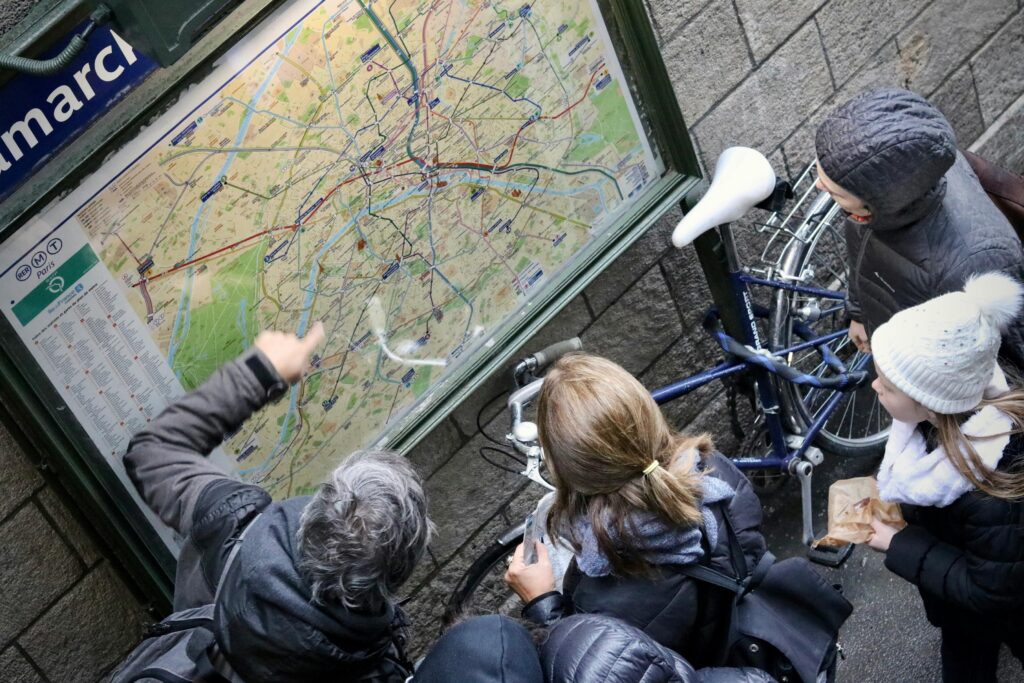
Citymapper – This app is best for big metros. If you’re traveling to places like London, Paris, Berlin, Amsterdam etc then this is the maps app for you. It shares the fastest, cheapest, and best routes as well as up-to-date delays. What makes it truly stand out is the accessible journeys option and advice on where to stand on the platform to optimize your journey.
[Photo Credit: Fabien Maurin via Unsplash]
Flush – When you gotta go, you gotta go. And Flush is here to help ensure you don’t fear staying hydrated as you walk around the city. With a huge database and a GPS-powered interface, it helps you quickly locate the nearest toilet. One of its biggest strengths is offline functionality. You can download the maps in advance so you don’t need a signal to utilize this valuable information.
Apps to Use for Language & Communication
When you’re communicating in another language, things can get tricky. You want a good translator to help you with asking questions and connecting with those around you. A good translator app that works offline is especially useful when you’re in more hidden-gem local locales.
It’s also important to stay connected to the people at home and reach out to the people around you – be it a restaurant or a tour guide. It’s important to have a travel plan or an eSIM and the common messaging app of the region.
Deepl – This translator app has more human, accurate translations. It includes 100 langauges including non-Latin languages, photo translation and text-to-speech. It offers multiple ways to translate different words and phrases to help you switch between informal/ formal tones.
Microsoft Translator – With a large database of languages, Microsoft is a solid translation app. You can have the translation turn upside down automatically to make it easier to communicate with the person across from you in real time. You can also use voice and camera translations. It has one of the broadest free libraries available. And the phrasebook with pre-loaded phrases is helpful if you want to give speaking the language a go yourself.
Top tip! Write the full phrase into the translator. If you translate words alone, sometimes you can get the wrong word or gender and therefore completely wrong translation. Liz learned this the hard way when she tried to order (finger)nails at the Italian hardware store instead of nails.
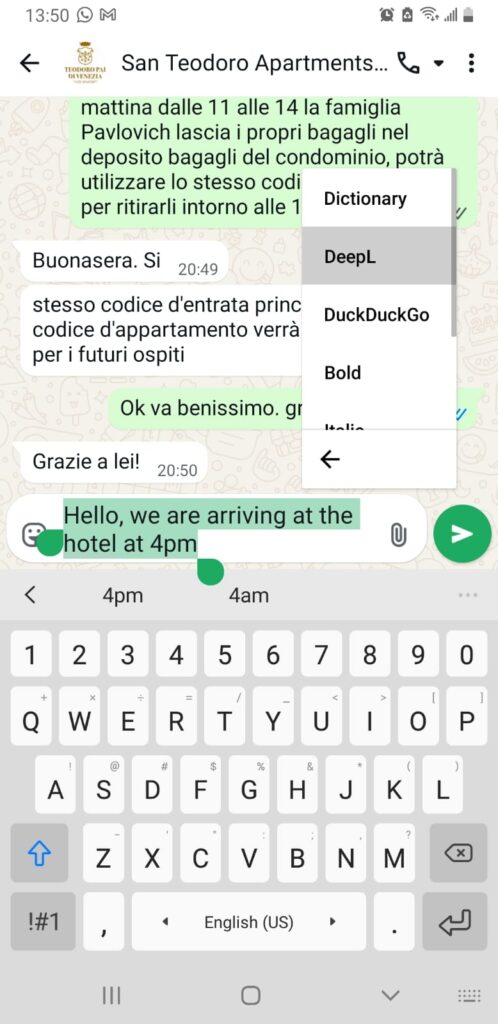
WhatsApp – This has become an essential communication app outside the US. What we find most useful is that it uses data/ wifi to send messages so no matter what your international phone plan. If you’re connected to the internet, you can send messages worldwide with no cost.
In many places in Europe it can also be used to communicate with hotels, tour guides, and restaurants! When combined with a translation app – communicating becomes even easier.
[Photo Credit: Liz via Shared Adventures]
KnowRoaming – There are many options for an international phone plan based on your carrier. But sometimes an eSIM is the easiest route. KnowRoaming has competitive pricing, unlimited data, and is easy to set up. It’s available in 150 countries and can be purchased for as little as 7 days. It doesn’t include traditional voice calling and SMS, but it allows data-based communication (like WhatsApp). The embedded electronic version of the SIM card works with most newer phones.
Apps to Use for Memories
If you’re not a common user of socials but still want to keep your friends and family at home aware of your travels. And keep incredible photos in more than just random folders on your phone; there are a few apps you can use to document your journey. Using an app is a great way to save your memories in the moment without taking too much time out of the experience and without coming home to an unorganized mess of photos leaving you trying to remember where that beautiful building actually was.
Snapseed – This is a photo-editing app that helps you make small tweaks to any photo. It can help put the finishing touches on a photo you took on your phone to help you really capture the blue of the sea, or the green of Ireland’s rolling hills. Or to crop out the 10000 other people at the Trevi Fountain. It’s intuitive interface and myriad of tools make it a stand out for us.

Tripcast – Perfect to keep your friends and family members updated about your journey. create a shared photo albums where you and the rest of your croup can upload and share photos easily.
The app uses photo geotagging to create a map of the places you visit. This is the best way to share photos as a group or keep people back home updated.
You can track photos by place, and once you get home you can download all the photos for safekeeping. It only shares photos with those who you allow access.
[Photo Credit: Ann via Shared Adventures — read about her Rhone River Cruise here! ]
JourniBlog -allows you to record your travel experiences as timelines and maps. At the end of your trip, you can even have them printed into a book. You can create public or private journal entries. This is perfect if you want to turn your trip into a photo book. You can add overlays like weather tags and flight info, and others in your group can comment on the photos